Accounting Shopify app: QuickBooks & Xero payout journals

Load the two CSV files Shopify already gives you.

Accounting Shopify app: QuickBooks & Xero payout journals
Example of the result this page gives you

Try it freeFull version · $99 per year →

How it works
  1. Enter your details in the free version below.
  2. See your result right away on this page.
  3. Need more? The full version adds what is listed under "What you get".

What you get: Pro adds 6 things for the books you keep every month: a saved ledger that merges every export without counting an order twice, several stores, a QuickBooks Online journal import file, a Xero manual…

Published 2026-10-21 · ReadyStack

Try it freeFull version →

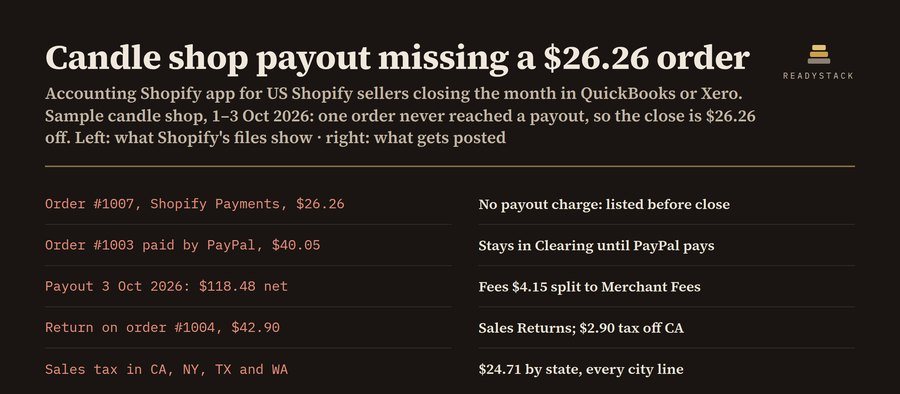
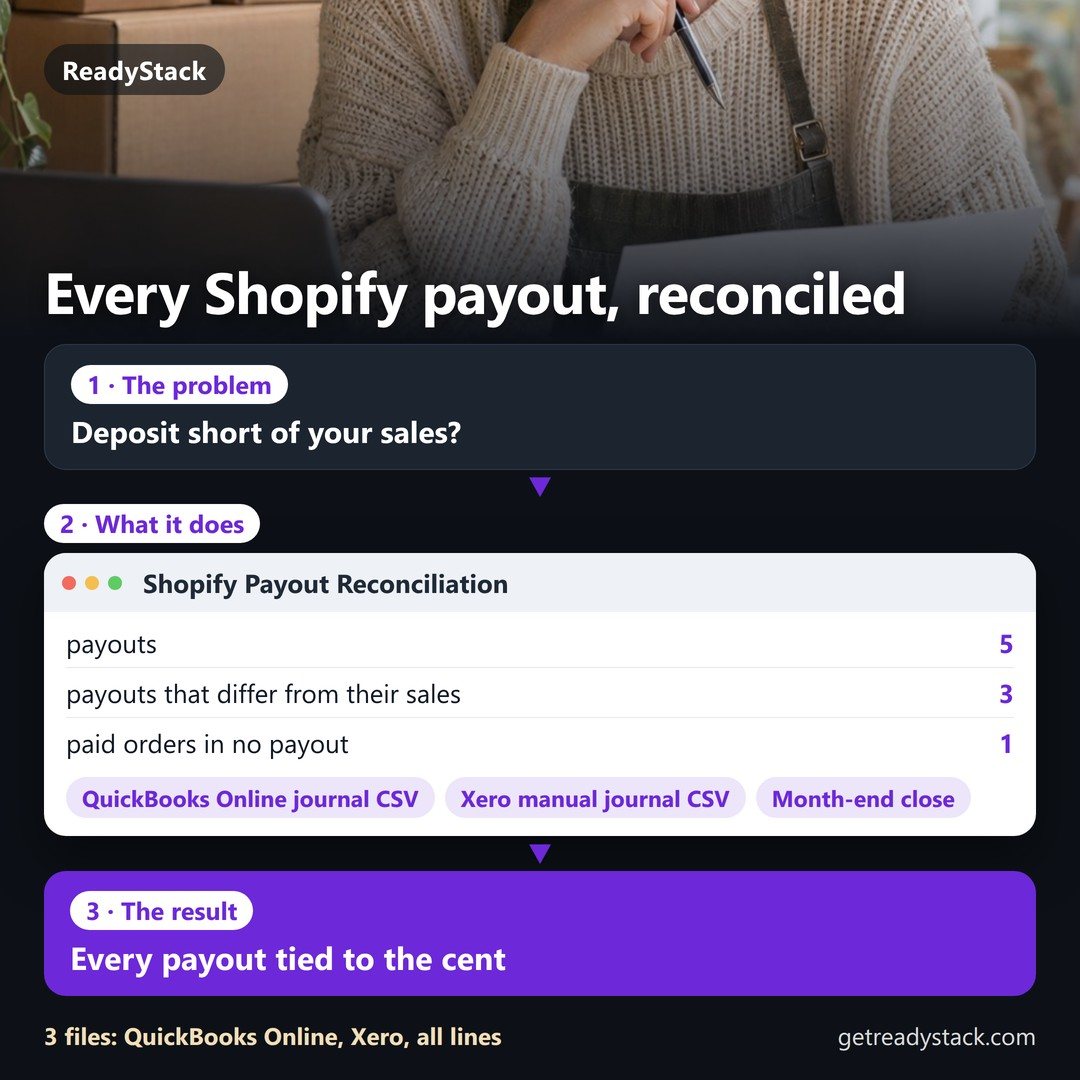
Load the two CSV files Shopify already gives you. You get one balanced sales journal per day, one journal per payout with the processing fees split out, every Shopify Payments order that never reached a payout, and sales tax collected by state. No store login, no app permissions, no sync quota: the files are read in this browser tab and never uploaded.

1. Your Shopify files

Account names (QuickBooks) and account codes (Xero)
RoleAccount nameXero code

Pro adds 6 things for the books you keep every month: a saved ledger that merges every export without counting an order twice, several stores, a QuickBooks Online journal import file, a Xero manual journal import file, the sales-tax-by-state file for any month, quarter or year you have loaded, and month close with a SHA-256 fingerprint that warns when a closed month changes. $99 per year · $12 per month

2. Pro: keep the books

Pro is not active on this browser.

How the journals are built

  1. Daily sales journal (one per day and currency, dated by “Paid at”): debit Shopify Clearing with the order totals, debit Sales Discounts, credit Sales with the price before discounts, credit Shipping Income, and credit Sales Tax Payable with one line per state.
  2. Returns journal: debit Sales Returns, credit Shopify Clearing, dated on the day the payout file shows the money going back to the customer. Without the payout file it is put on the order day and the memo says so.
  3. Payout journal (one per payout): debit Payouts in Transit with the net deposit, debit Merchant Fees, credit Shopify Clearing with charges less returns. Code the bank deposit to Payouts in Transit; the amounts match to the cent.
  4. Clearing check: what is left in Shopify Clearing is split into orders paid through other gateways (PayPal, bank deposit) and Shopify Payments orders with no charge in the payout file.
  5. Orders with status pending, authorized, voided or expired are not posted and are listed.

A bookkeeping tool: it arranges your own Shopify numbers. Not tax, legal or financial advice; check sales tax filings with your state or your accountant.
Email me this result
A copy of what you see above, in your inbox — the tool stays free, nothing here is locked.

More tools for the same work

Accounting Shopify app: QuickBooks & Xero payout journalsShopify Payout ReconciliationEvery payout tied to the centFree versionAccounting Shopify app: QuickBooks & Xero payout journalsAffiliate program Shopify appFree versionAccounting Shopify app: QuickBooks & Xero payout journalsShopify PDF invoice appFree versionAccounting Shopify app: QuickBooks & Xero payout journalsCookie consent Shopify app testerFree version
People like you also use
Everything for Online sellers → · Print on demand (POD) Shopify app check · Ecom Seller Toolkit · de to en translation for Shopify · ReadyStack Pass — every tool in one subscription · All tools →

Questions and answers

What does this page do?

Turn your Shopify orders export and payout export into balanced daily sales journals, payout journals with fees split out, a list of orders that never.

Is it free?

Yes. The free version on this page works without an account. The full version ($99 per year) adds: Pro adds 6 things for the books you keep every month: a saved ledger that merges every export without counting an order twice, several stores, a QuickBooks Online journal import file, a Xero manual…

How do I use it?

1. Enter your details in the free version below. 2. See your result right away on this page. 3. Need more? The full version adds what is listed under "What you get".

Ask about this tool

One question, answered by the person who built it. Your email only if you want the answer sent.

Privacy: your e-mail is used only to send you the answer. A question appears on this page only after it is answered, without your e-mail.

For a team or company: for an invoice with your company details, a quote or several licences, write to [email protected].

More in Online stores & Shopify See all →