ATS-Optimized Resume Template — matched to each job posting

Recruiters search their applicant tracking system with the posting’s own words.

ATS-Optimized Resume Template — matched to each job posting
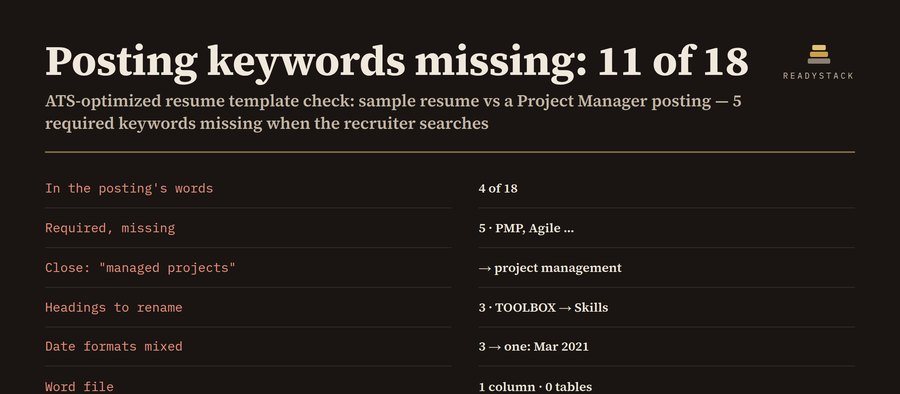
Example of the result this page gives you

Try it freeFull version · $9 per month →

How it works
  1. Enter your details in the free version below.
  2. See your result right away on this page.
  3. Need more? The full version adds what is listed under "What you get".

What you get: Save every application: company, job title, posting, the resume version you sent, its keyword count · Status board: saved · applied · interview · offer · closed, with a follow-up date 7 days after you apply · Keyword bank: which keywords show up across all your saved postings, and which your resume still lacks

Published 2026-10-26 · ReadyStack

Try it freeFull version →

Recruiters search their applicant tracking system with the posting’s own words. Paste your resume and the job posting: see which of its keywords your resume misses, which headings, date formats and icons a parser can trip on, then download your resume as a single-column Word file — no tables, no text boxes, no header or footer, Calibri that every computer already has.

Your resume and the job

Download your ATS-optimized resume

Built from the resume above: standard headings (Summary, Work Experience, Education, Skills), icons and column breaks removed, plain bullets, one column, US Letter, 0.75″ margins. Tick only the keywords you really have — they go into Skills.

Preview: the text an ATS reads, in order

Pro: one resume version per application

$9 per month or $49 per year. Get Pro — $9 per month $49 per year

What this checks, and what it does not

Keywords: skills, tools and certifications the posting names, plus 2–3 word phrases it repeats, required ones first. “Exact” = the posting’s words appear in your resume; “close” = only another form (“managed projects” for “project management”, “Excel” for “Microsoft Excel”, PMP without “Project Management Professional”). Layout: non-standard headings, mixed date formats, icon characters, lines split into columns, missing email, phone, City, ST or LinkedIn URL, and any keyword used more than 4 times (stuffing).

It does not log in to any ATS, does not score you against other applicants, and cannot promise an interview. Add only skills you have. Your text never leaves this browser.
Email me this result
A copy of what you see above, in your inbox — the tool stays free, nothing here is locked.

More tools for the same work

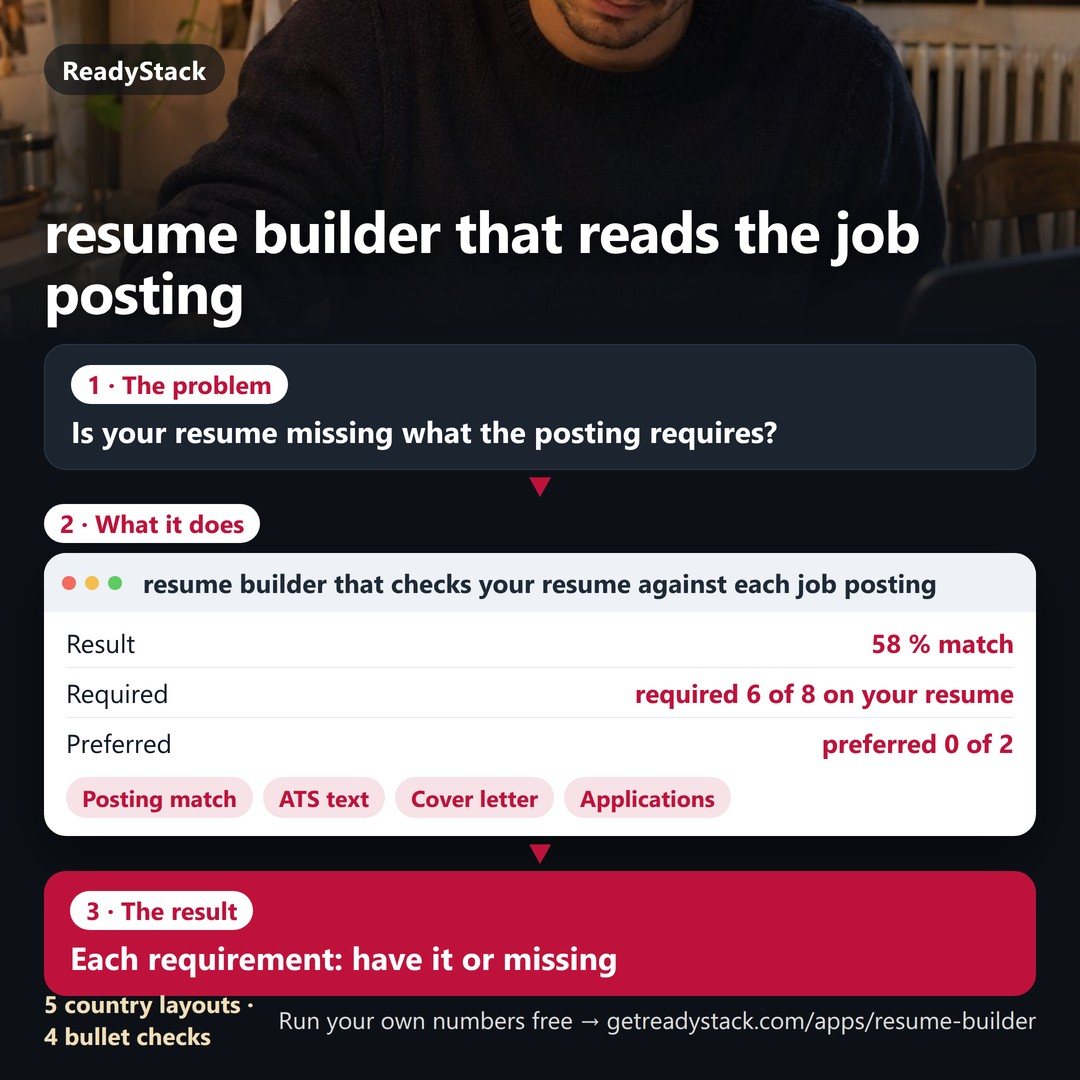
ATS-Optimized Resume Template — matched to each job postingresume builder that checks each job postingEach requirement: have it or missingFree version
People like you also use
Everything for Job seekers: CV and applications → · ReadyStack Pass — every tool in one subscription · All tools →

Questions and answers

What does this page do?

ATS-optimized resume template built from your own resume: paste it with the job posting, see which posting keywords you miss, fix headings, date formats and icons, and download a single-column Word file with no tables or text boxes.

Is it free?

Yes. The free version on this page works without an account. The full version ($9 per month) adds: Save every application: company, job title, posting, the resume version you sent, its keyword count · Status board: saved · applied · interview · offer · closed, with a follow-up date 7 days after you apply · Keyword bank: which keywords show up across all your saved postings, and which your resume still lacks

How do I use it?

1. Enter your details in the free version below. 2. See your result right away on this page. 3. Need more? The full version adds what is listed under "What you get".

Ask about this tool

One question, answered by the person who built it. Your email only if you want the answer sent.

Privacy: your e-mail is used only to send you the answer. A question appears on this page only after it is answered, without your e-mail.

For a team or company: for an invoice with your company details, a quote or several licences, write to [email protected].

More in Resumes & careers See all →