Home Free tools Planners & spreadsheets Construction Project Dashboard Template — Earned Value… Construction Project Dashboard Template — Earned Value, Float & RFI Control (Power BI) Preview of the file you get Full version · $69 →
How it works Look at the preview of the file below. Pay once and download the file right away. Open it and fill in your own details. What you get: This page is the working piece.
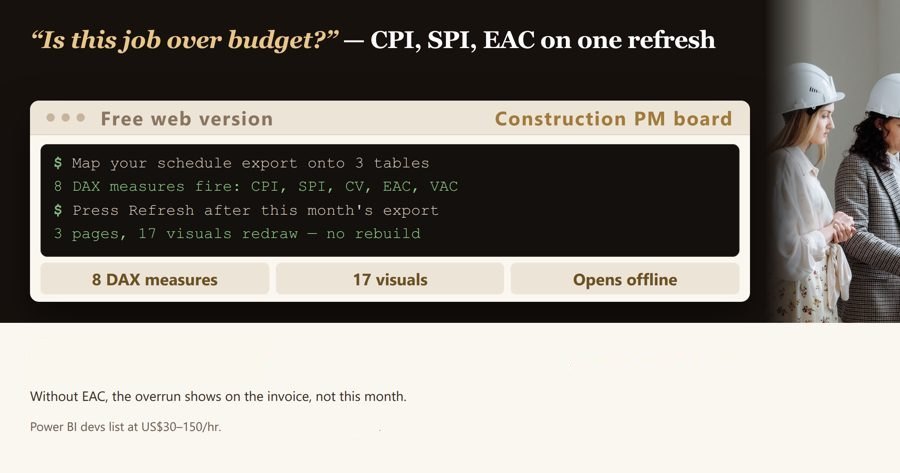
Your team already pays $14 per user/month for Power BI Pro (Microsoft list price effective 1 April 2025) and it still opens on an empty canvas. Point this at your cost report, your P6/MS Project export and your RFI register, hit Refresh, and read CPI, SPI, Forecast at Completion, worst float and overdue RFIs on three pages.
Measures included (DAX) (8)
Cost Performance Index (Table: Cost Ledger) DAX: DIVIDE(SUM('Cost Ledger'[Earned Value]), SUM('Cost Ledger'[Actual Cost to Date]))
Uses: 'Cost Ledger'[Earned Value], 'Cost Ledger'[Actual Cost to Date]
Format: 0.00
Schedule Performance Index (Table: Cost Ledger) DAX: DIVIDE(SUM('Cost Ledger'[Earned Value]), SUM('Cost Ledger'[Planned Value]))
Uses: 'Cost Ledger'[Earned Value], 'Cost Ledger'[Planned Value]
Format: 0.00
Forecast at Completion (Table: Cost Ledger) DAX: DIVIDE(SUM('Cost Ledger'[Original Budget]) + SUM('Cost Ledger'[Approved Change Orders]), DIVIDE(SUM('Cost Ledger'[Earned Value]), SUM('Cost Ledger'[Actual Cost to Date])))
Uses: 'Cost Ledger'[Original Budget], 'Cost Ledger'[Approved Change Orders], 'Cost Ledger'[Earned Value], 'Cost Ledger'[Actual Cost to Date]
Format: #,##0
Uncommitted Budget (Table: Cost Ledger) DAX: SUM('Cost Ledger'[Original Budget]) + SUM('Cost Ledger'[Approved Change Orders]) - SUM('Cost Ledger'[Committed Cost])
Uses: 'Cost Ledger'[Original Budget], 'Cost Ledger'[Approved Change Orders], 'Cost Ledger'[Committed Cost]
Format: #,##0
Average Finish Variance Days (Table: Schedule Tasks) DAX: AVERAGE('Schedule Tasks'[Finish Variance Days])
Uses: 'Schedule Tasks'[Finish Variance Days]
Format: 0.0
Worst Float Days (Table: Schedule Tasks) DAX: MIN('Schedule Tasks'[Total Float Days])
Uses: 'Schedule Tasks'[Total Float Days]
Format: 0
Overdue Items (Table: Open Items) DAX: SUM('Open Items'[Is Overdue])
Uses: 'Open Items'[Is Overdue]
Format: 0
Exposure from Open Items (Table: Open Items) DAX: SUM('Open Items'[Cost Impact])
Uses: 'Open Items'[Cost Impact]
Format: #,##0
Columns your data must have (28)
Cost Ledger Column Type Summarize by Project Namestring Cost Codestring Work Packagestring Period End DatedateTime Original Budgetdecimal Approved Change Ordersdecimal Committed Costdecimal Actual Cost to Datedecimal Earned Valuedecimal Planned Valuedecimal
Header row: Project Name,Cost Code,Work Package,Period End Date,Original Budget,Approved Change Orders,Committed Cost,Actual Cost to Date,Earned Value,Planned Value
Schedule Tasks Column Type Summarize by Project Namestring Activity IDstring Activity Namestring Baseline FinishdateTime Forecast FinishdateTime Total Float Daysint64 Finish Variance Daysint64 Percent Completedouble Is Criticalint64
Header row: Project Name,Activity ID,Activity Name,Baseline Finish,Forecast Finish,Total Float Days,Finish Variance Days,Percent Complete,Is Critical
Open Items Column Type Summarize by Project Namestring Item Typestring Referencestring Date RaiseddateTime Response Due DatedateTime Days Openint64 Is Openint64 Is Overdueint64 Cost Impactdecimal
Header row: Project Name,Item Type,Reference,Date Raised,Response Due Date,Days Open,Is Open,Is Overdue,Cost Impact
Report pages (3) Cost Control — Earned Value — Visuals (6): Cost Performance Index, Schedule Performance Index, Forecast at Completion, Uncommitted Budget by Cost Code, Forecast at Completion by Period End Date, Project NameProgramme — Float & Slippage — Visuals (6): Average Finish Variance Days, Worst Float Days, Average Finish Variance Days by Activity Name, Total Float Days by Activity Name, Slippage Register — Baseline Finish vs Forecast Finish, Project NameRFIs, Submittals & Cost Impact — Visuals (6): Overdue Items, Exposure from Open Items, Overdue Items by Item Type, Exposure from Open Items by Item Type, Open Register — Reference, Raised, Response Due, Project NameGet the complete version $69 This page is the working piece. The full pack has everything below.
Your team already pays $14 per user/month for Power BI Pro (Microsoft list price effective 1 April 2025) and it still opens on an empty canvas. Point this at your cost report, your P6/MS Pro
Microsoft's published list price is $14 per user/month for Power BI Pro and $24 per user/month for Premium Per User, both effective 1 April 2025. The licence is already bought — what is missing is the model that sits on it. This t
Buy the full version — $69 Buying here, plainly
Payment runs on Whop’s checkout: your card details go to Whop, not to us, and Whop emails you the receipt. Your licence key shows on the next page right after payment and stays in your Whop account (Your purchases). Chose a subscription? Cancel any time in your Whop account (Orders → Cancel membership); access lasts until the end of the period you paid. Questions before buying? [email protected] — we answer within 2 business days. Need more than this one? ReadyStack Pass opens all 679 files and 561 full versions — $29/month or $199/year. See the Pass →
Copy link
Questions and answers What does this page do? Your team already pays $14 per user/month for Power BI Pro (Microsoft list price effective 1 April 2025) and it still opens on an empty canvas.
Is it free? The preview on this page is free. The full version ($69) adds: This page is the working piece.
How do I use it? 1. Look at the preview of the file below. 2. Pay once and download the file right away. 3. Open it and fill in your own details.
Ask about this tool One question, answered by the person who built it. Your email only if you want the answer sent.
For a team or company: for an invoice with your company details, a quote or several licences, write to [email protected]
More in Planners & spreadsheets See all → Student Attendance Dashboard — California chronic absenteeism & ADA check Student attendance dashboard check for California schools: CDE chronic absenteeism rule (10% of expected days, 31-day eligibility) and the… Free Full version $120 US Landlord Rental Income Tracker Track one rental before Schedule E adds a $135 average tax-prep fee and every rent dollar becomes taxable income. Free How many hours can AI give you back? Enter the hours you spend on repetitive work and see how many you could reclaim with AI & automation. Free, no signup. Honest estimates… Free Should you refinance your car, or keep the loan you have? Free car refinance calculator. New payment, monthly drop, break-even on fees, lifetime savings, what stretching the term really costs Free Data Protection Fee Calculator 2026: ICO Tier Since 17 February 2025 the UK data protection fee is £52, £78 or £3,763, not the £40, £60 or £2,900 many guides still quote. Free Full version $21 FUTA credit reduction true-up Your payroll system accrues FUTA at 0.6%. The Department of Labor announces the credit reduction on November 10, 2026 - and it applies… Free Full version $60 Save this result to my account ×
ReadyStack
Calculators, templates and deadlines for the rules that change every year — free in your browser.
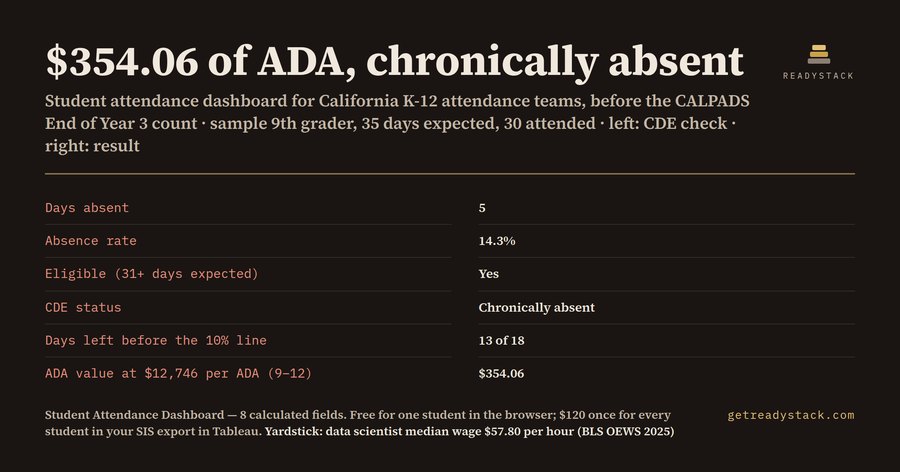 Student Attendance Dashboard — California chronic absenteeism & ADA check
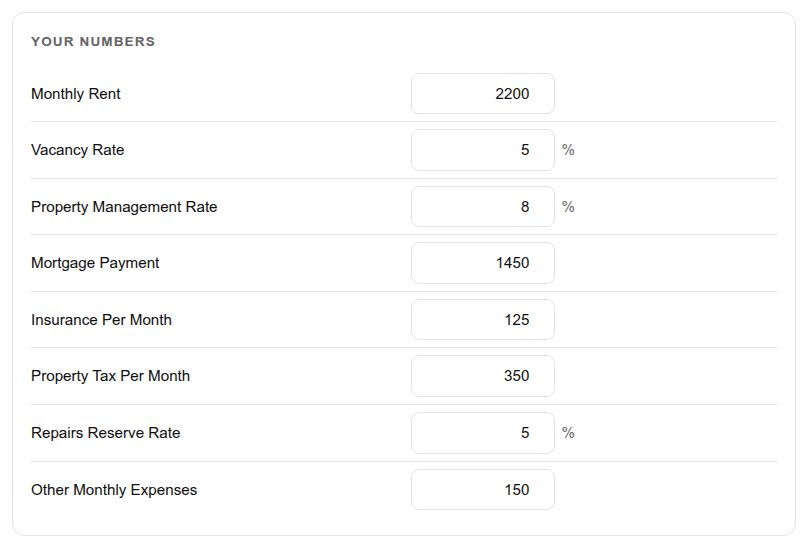 US Landlord Rental Income Tracker
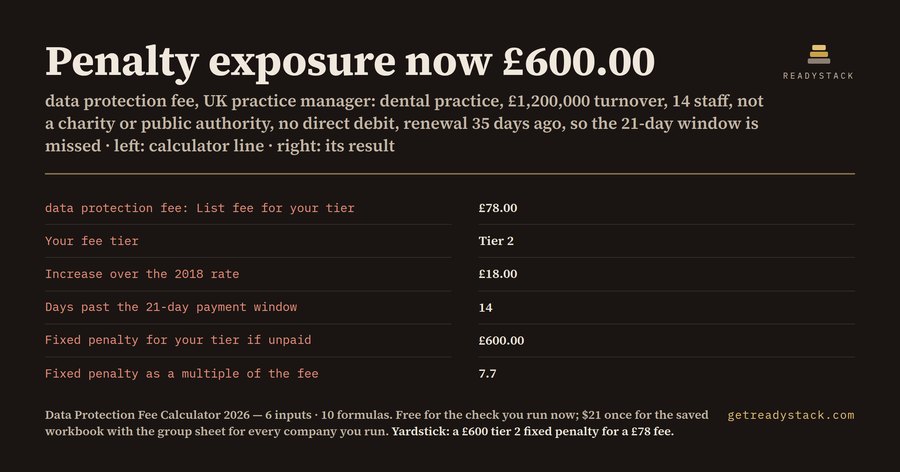 Data Protection Fee Calculator 2026: ICO Tier
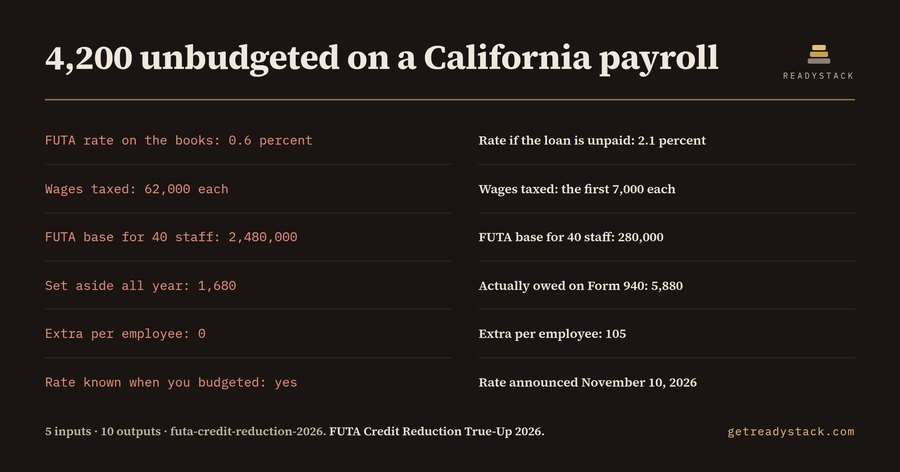 FUTA credit reduction true-up