Terraform Module Kubernetes Namespace for Platform Teams - quota, LimitRange, default-deny NetworkPolicy, Pod Security Admission & namespaced RBAC
Creates one hardened multi-tenant Kubernetes namespace: Pod Security Admission labels, default-deny NetworkPolicy plus named exceptions, ResourceQuota, LimitRange, a…
How it works
Read below what is included.
Open the parts you need directly on this page.
A question? Use the question box at the bottom of the page.
Creates one hardened multi-tenant Kubernetes namespace: Pod Security Admission labels, default-deny NetworkPolicy plus named exceptions, ResourceQuota, LimitRange, a non-automounting ServiceAccount, an optional registry Secret passed as a sensitive variable, and namespaced Roles/RoleBindings.
Inputs
namespace
tenant
labels
annotations
pod_security_enabled
pod_security_level
pod_security_version
resource_quota_enabled
resource_quota_hard
limit_range_enabled
container_default_limits
container_default_requests
container_max
container_min
pvc_max
pvc_min
network_policy_enabled
dns_namespace
allow_same_namespace_traffic
allowed_ingress_namespaces
Use
module "x" {
  source = "./terraform-module-kubernetes-namespace"
}
Get the complete version $3
This page is the working piece. The full pack has everything below.
One terraform apply = 7 hardened objects per tenant namespace. 12 resource blocks, 29 inputs (7 with validation), 13 outputs, 6 copy-paste examples - and none of them default to open network
A rival module on this exact shelf sells at $3 today (measured on the shelf we are entering). No hourly-rate or consultant comparison is quoted here because we have not measured one.
A copy of what you see above, in your inbox — the tool stays free, nothing here is locked.
Questions and answers
What does this page do?
Creates one hardened multi-tenant Kubernetes namespace: Pod Security Admission labels, default-deny NetworkPolicy plus named exceptions, ResourceQuota, LimitRange, a non-automounting ServiceAccount, an optional registry Secret passed as a sensitive variable, and namespaced Roles/RoleBindings.
Is it free?
The preview on this page is free.
How do I use it?
1. Read below what is included. 2. Open the parts you need directly on this page. 3. A question? Use the question box at the bottom of the page.
Ask about this tool
One question, answered by the person who built it. Your email only if you want the answer sent.
For a team or company: for an invoice with your company details, a quote or several licences, write to [email protected].
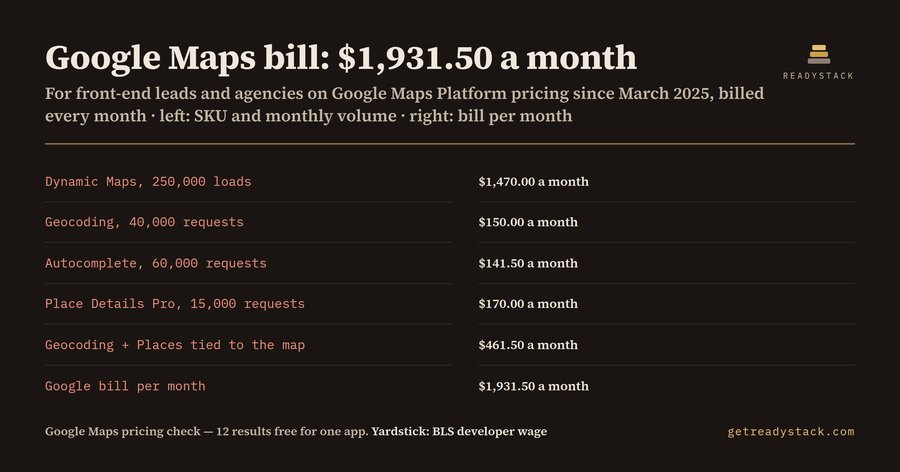 Google Maps Platform pricing: OpenLayers migration checkGoogle Maps Platform pricing calculator: per-SKU free caps since March 1, 2025, the Geocoding and Places that must leave with the map, and…FreeFull version $21
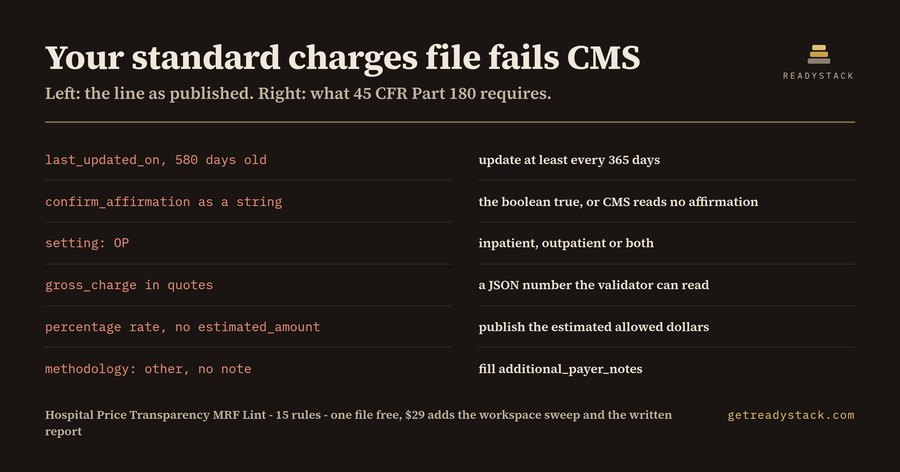 CMS Price Transparency rules — check your hospital price file onlineThis browser tool checks a hospital standard-charges file against the CMS JSON template and 45 CFR Part 180.FreeFull version $29IntelliJ Plugin: WCAG AAA Contrast Editor Themes — 4 Themes for Long Reading Sessions, Glare-Lit Offices and Colour-Blind Vision44 text colours, each measured against its own background: the lowest in the pack is 7.18:1, above the 7:1 AAA floor of W3C WCAG 2.1 SC…Free
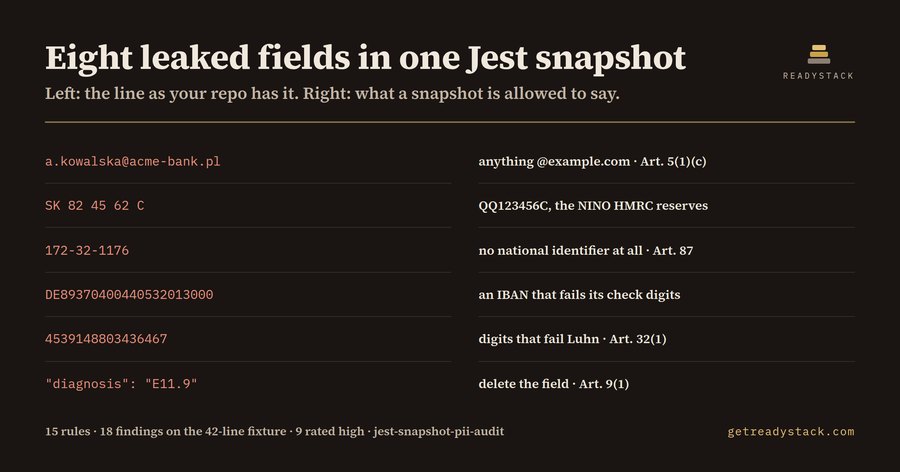 Jest Snapshot PII check — find sensitive data in snapshotsThis browser tool finds personal data and live credentials in Jest snapshot files and shows the GDPR article for each hit.FreeFull version $29
 Linker Map AuditorPaste a GNU ld .map file and see, in exact bytes, which object file and which archive is spending your FLASH and RAM - and by how much you…FreeFull version $29
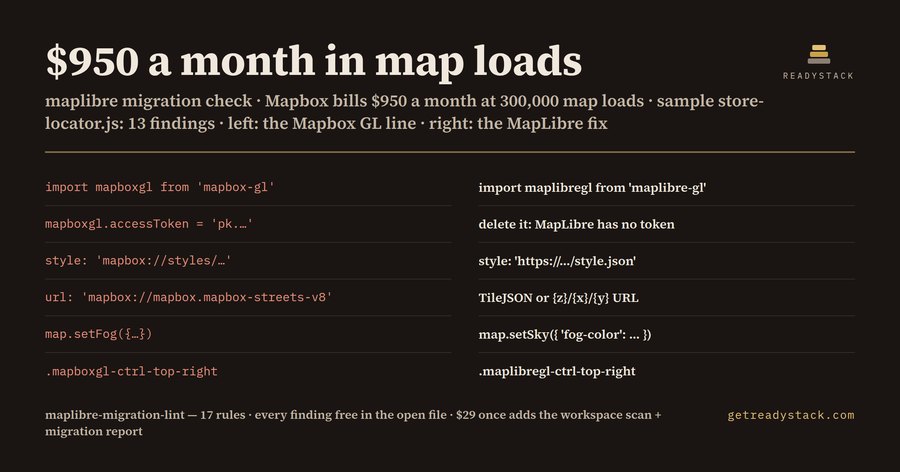 Mapbox Migration 2026 — check your code for freeThis free browser tool checks Mapbox GL JS v2+ code for migration issues and shows a MapLibre fix for each flagged line.FreeFull version $29